The booth where people play
Visitors stop, move the pawn and build their own room. The samples leave the display racks and go from hand to hand, and whoever is waiting their turn watches the room change.
SURFACE · MATERIAL CONFIGURATOR · PHYGIMAT
A material configurator for trade shows and showrooms. On the table: the floor plan of a home and your brand's real samples. Players move the pawn, set down a fabric or a tile, and the room on screen changes.
How to play
The pawn on the printed floor plan decides which room you're in and which angle you see it from.
Pick up a sample and place it on the square for the sofa, the rug or the wall. The table recognizes it from a tag you can't see.
On screen, the sofa takes on the fabric you were holding. Your other choices stay put, even when you switch angles.
What changes in the scene
In the current setup the rug, sofa, cushions, throw, floor and wall all change, across a living room and a bedroom. For a new brand, we decide together which elements and how many materials.
What's inside
There's a Raspberry Pi 5 inside the table. No gaming PC, no control desk: plug it in and the scene starts on its own.
The images are computed ahead of time in Blender, with the lighting and reflections of an offline render. When a sample touches the table, the Pi assembles the room from variants that are already prepared instead of rendering it from scratch. That's how the scene reaches render quality on such a small computer.
At a trade show, Wi-Fi is the last thing you want to depend on, so the table doesn't use it.
Where it works
Visitors stop, move the pawn and build their own room. The samples leave the display racks and go from hand to hand, and whoever is waiting their turn watches the room change.
Customers choose with the sample in hand and immediately see the upholstered sofa or the laid floor. The question of how it would look at home gets answered on screen, which leaves your sales team with sizes, delivery and the quote.
At a collection launch or an exhibition, the sample becomes the key to seeing the material applied in a room. Whoever picks it up decides what to look at.
Ready-made, made to measure
Ready-made
Designed for the brand
Launched at Milan Design Week 2026
The first version of Phygimat debuted with C&C Milano's fabrics. On the table: cubes covered in the atelier's textiles and the floor plan of the apartment at Via Brera 7. On the LED wall behind the visitors: its photoreal reconstruction. Set a cube on the sofa, the curtain or the cushion, and the room changed.
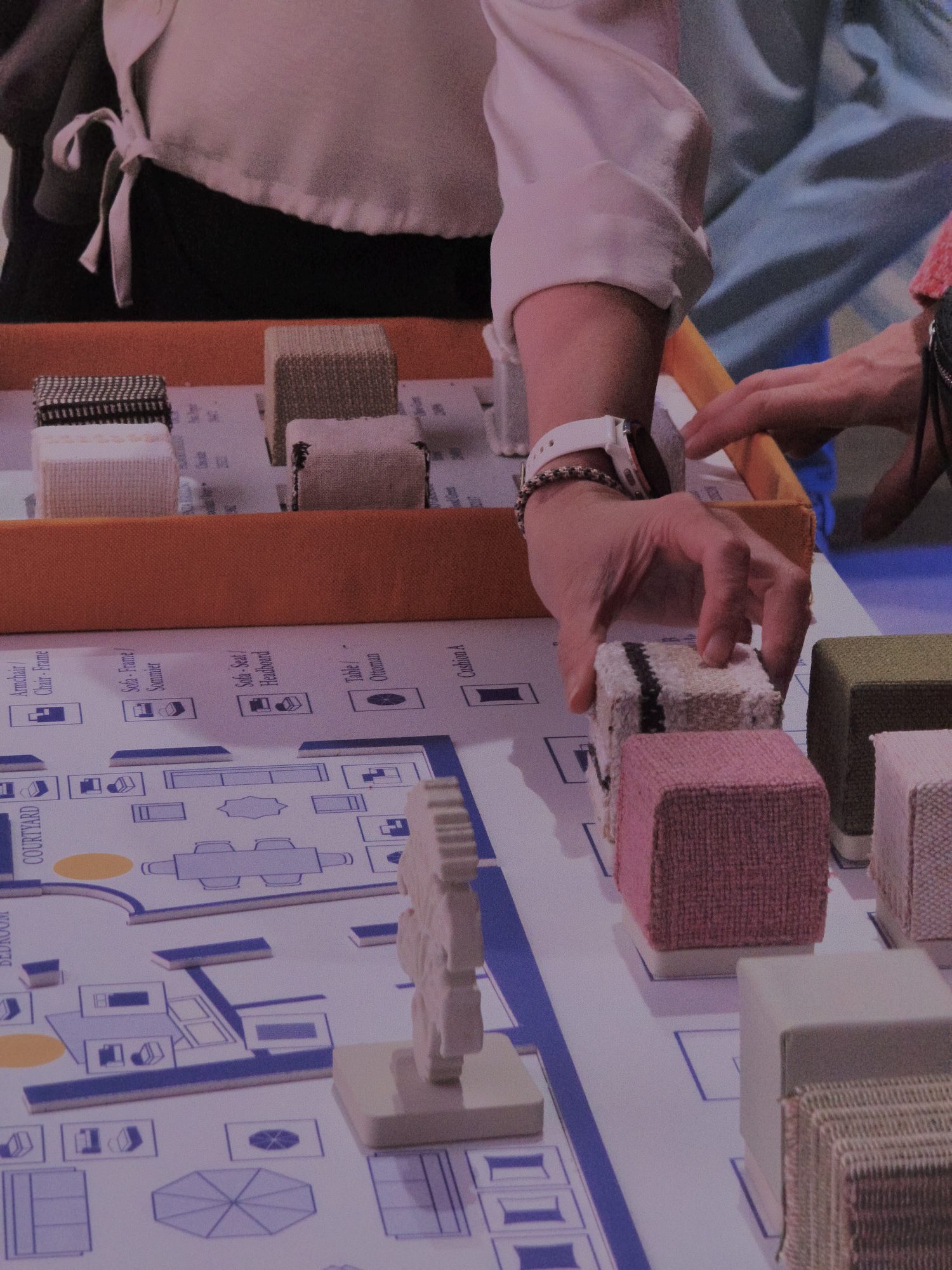
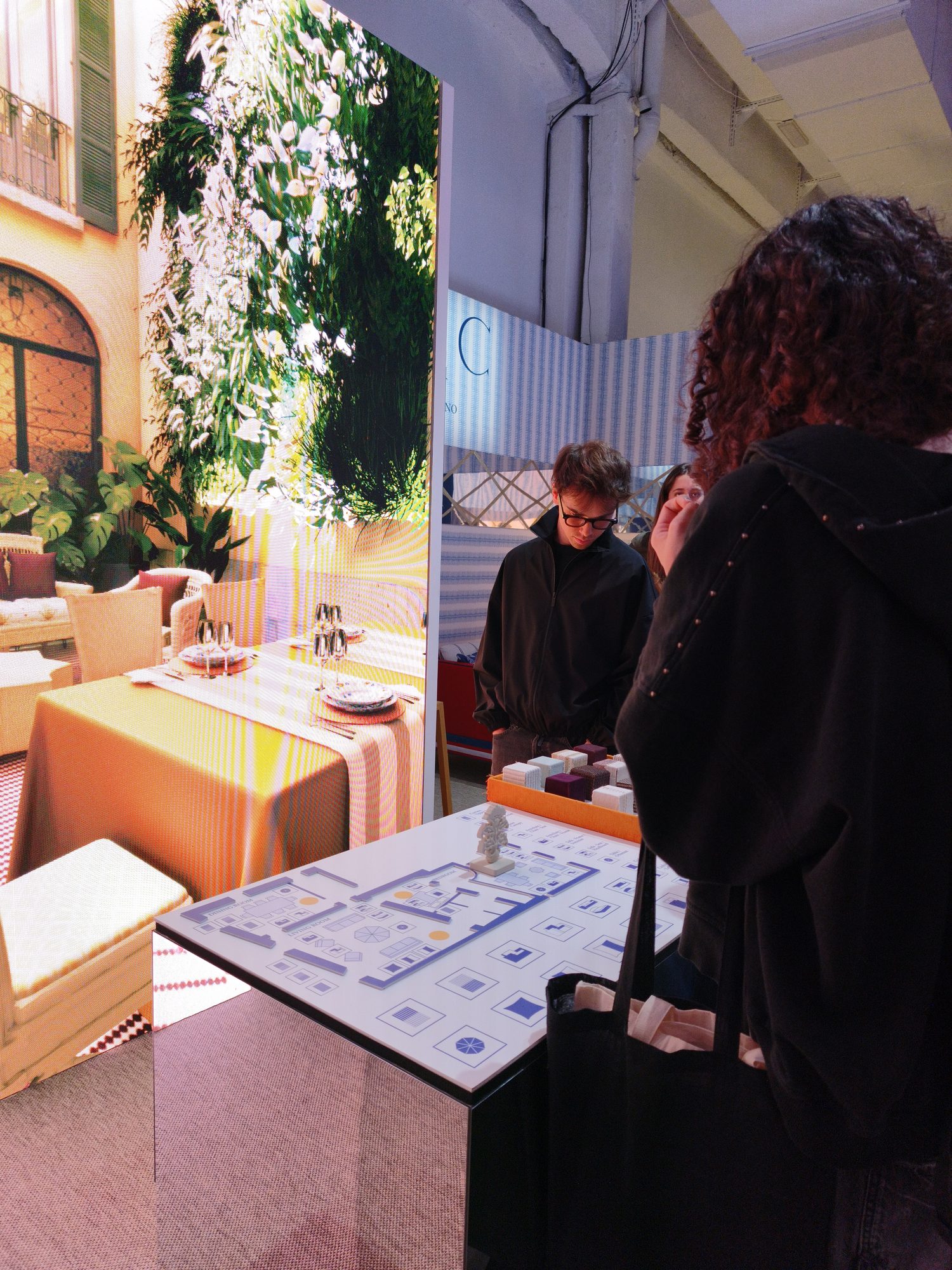
Photos of the first version, Milan Design Week 2026
Questions
Anything that fits on a sample you can hold: fabric, stone, ceramic, wood, leather, wallpaper, paint. Each sample is covered in the real material, so what customers touch is what they see applied in the scene.
No. The table holds everything it needs to recognize the samples and show the images. All it takes is a power outlet and a screen.
A monitor, an LED wall or a projector. We pick it with you based on the space and how far away people will be watching.
Usually not. Newcomers get it by watching whoever played before them: the pawn picks the room, the sample changes it.
The table and the software already exist; the work is on your materials and your rooms. Timing depends on how many rooms and materials you want, and we'll give you a schedule after a first call.
An online configurator shows the result but doesn't let anyone touch the material. Here customers choose with the sample in hand, so the decision goes through touch, the way it actually does when someone buys a fabric or a finish.
Tell us what you sell and where you want people to touch it: a trade show, a showroom, an event. We'll show you the table on a call and start from your materials.